
The Gauge MCP is Live

.avif)
You can now connect Gauge to Claude, ChatGPT desktop, Cursor, Vellum, and any other AI assistant that speaks the Model Context Protocol. Once connected, the AI you already use can query your Gauge workspace directly, pulling visibility data, citations, GSC and GA4 metrics, and the full Ask Gauge agent into the conversation.
What MCP gives you:
The Model Context Protocol is the standard for plugging external data and tools into AI assistants. Connecting the Gauge MCP means your AI can read your visibility metrics, run analytics queries, look up competitors, and execute the same actions you take inside the Gauge app, without leaving the conversation.
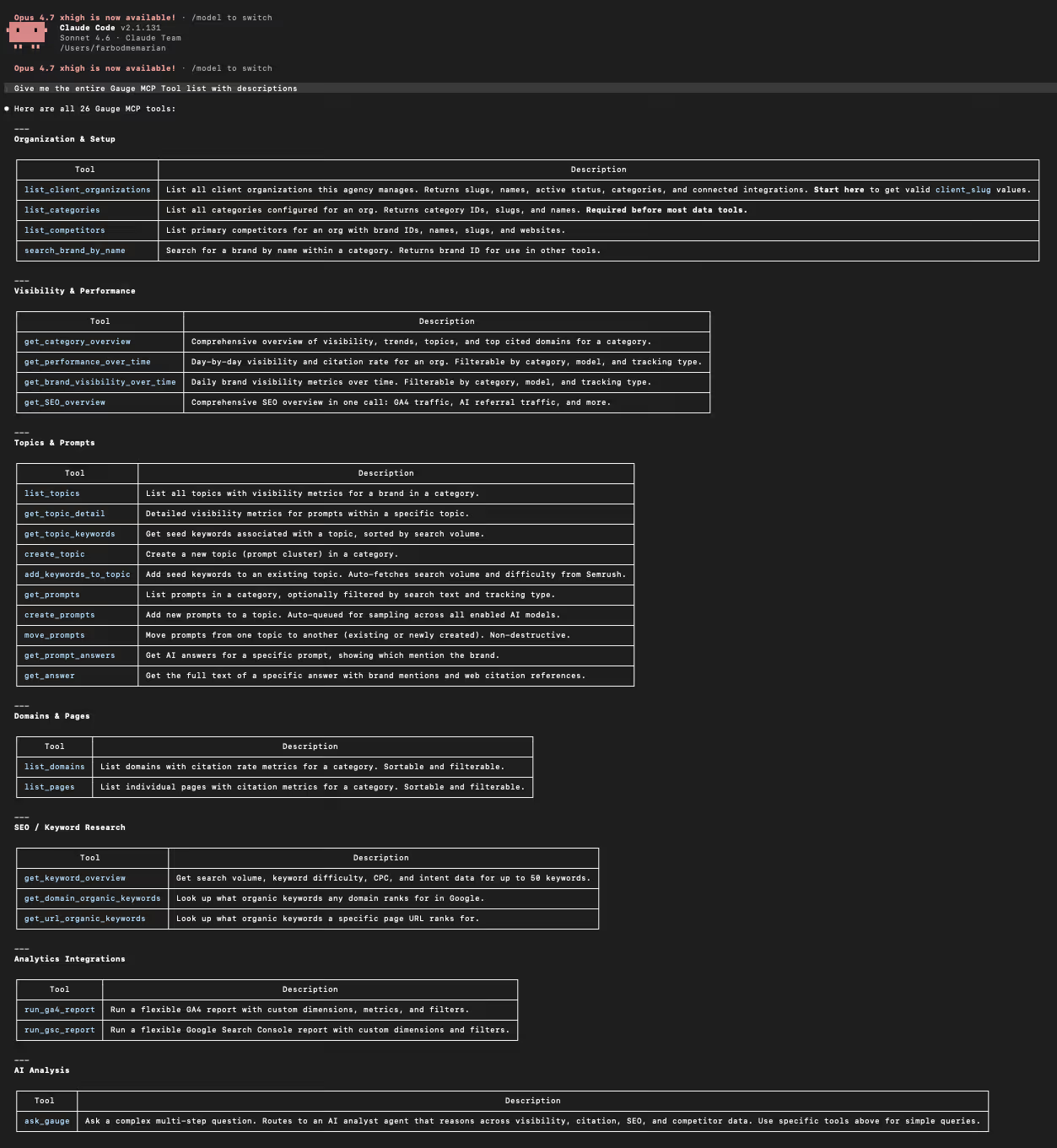
The Gauge MCP exposes 25 tools across the full product. The buckets:
• AI visibility: brand visibility over time, performance over time, AI answers and citations per prompt
• Topics and prompts: list, create, and move prompts; fetch topic details, keywords, and answers
• SEO and traffic data: GSC and GA4 reports, domain and URL organic keywords, keyword overviews
• Brands, pages, and competitors: list pages on your domain, search any brand by name, list domains and competitors
• Ask Gauge: the same AI marketing co-pilot that lives in the app, callable as a tool from inside any MCP client. Hand it a research question and it reasons across visibility, citations, GSC, GA4, and Semrush data in one shot.
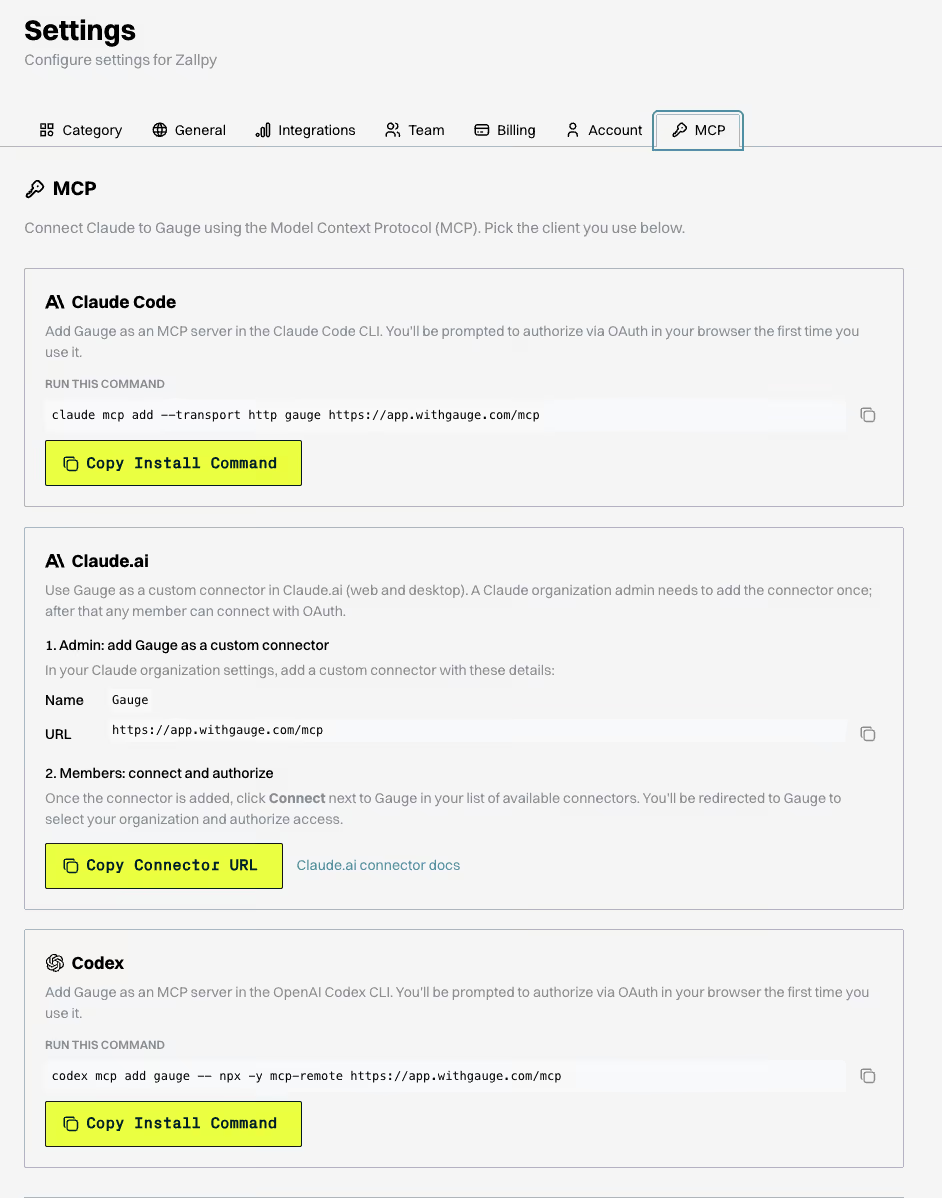
How to connect:
Pull your MCP URL from Settings > Integrations > MCP inside Gauge. Add it to your client of choice, complete the OAuth flow, and your tools are live.
What it unlocks:
• Ad-hoc AI visibility analysis through natural language queries to your assistant
• Gauge data piped directly into Claude projects alongside your internal docs
• Custom workflows and automations built on the same tools the Gauge app uses
• Multi-step research that reasons across visibility, organic, citation, and SEO data in one shot
Live now at withgauge.com.
Related Blogs
 Expect Higher Visibility on Grok. Lower on Perplexity. A Study of Brand Mentions from 17M+ Answers