Google Ads is Now Live in Gauge


Today we're launching the Google Ads integration inside Gauge.
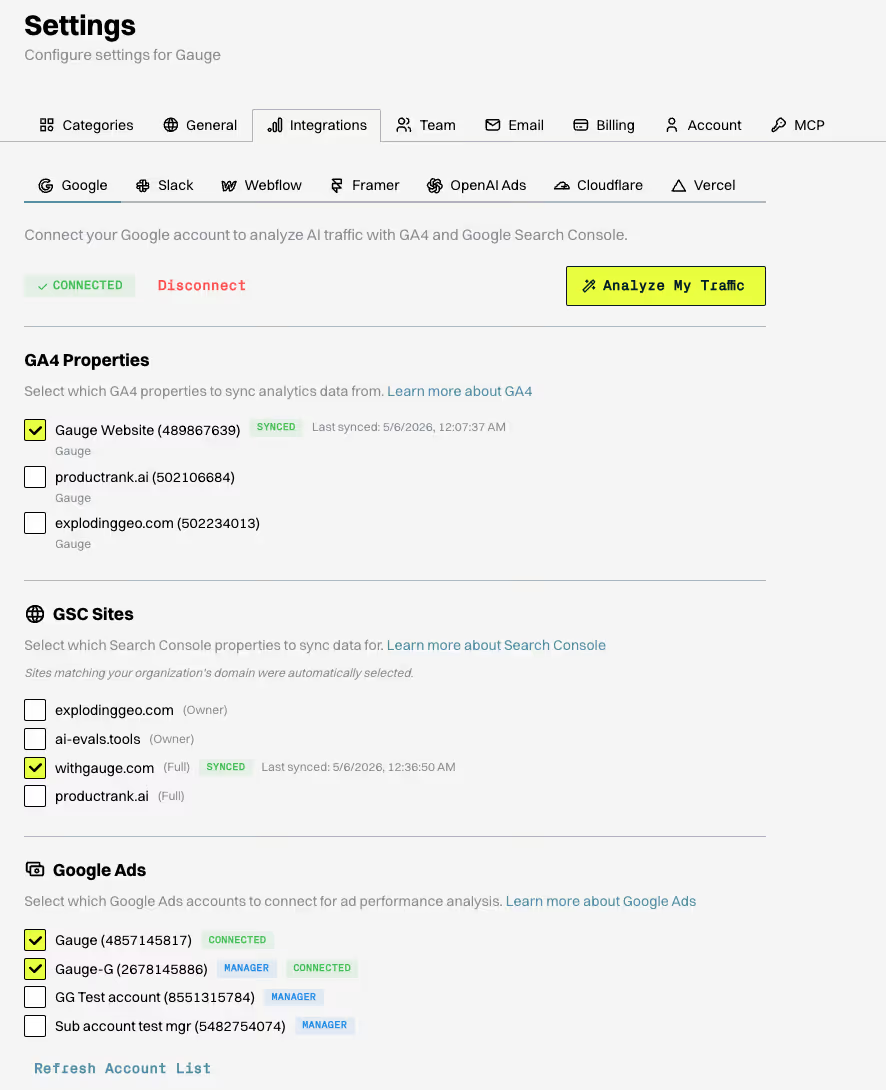
How to connect:
Settings → Integrations → Google → Authorize Google Ads. Pick the ad accounts you want to sync and save. Multiple accounts are supported. If the Ads scope wasn't part of your original Google authorization, a one-click reauth covers it. Heads up: disconnecting Google Ads also removes linked GA4 and Search Console scopes under the same Google account, so plan accordingly.
What data comes through:
• Campaign level: spend, budget, impressions, clicks, CTR, conversions, cost per conversion
• Ad group level: performance breakdowns, impression share, budget efficiency
• Keyword level: exact keywords triggering your ads, match types, quality scores, search impression share
• Ad copy level: headlines, descriptions, RSA asset ratings (Low / Good / Best), and which combinations are converting
• Device and audience: performance splits by mobile vs desktop and audience segment
• Search terms report: the actual queries people typed that triggered your ads
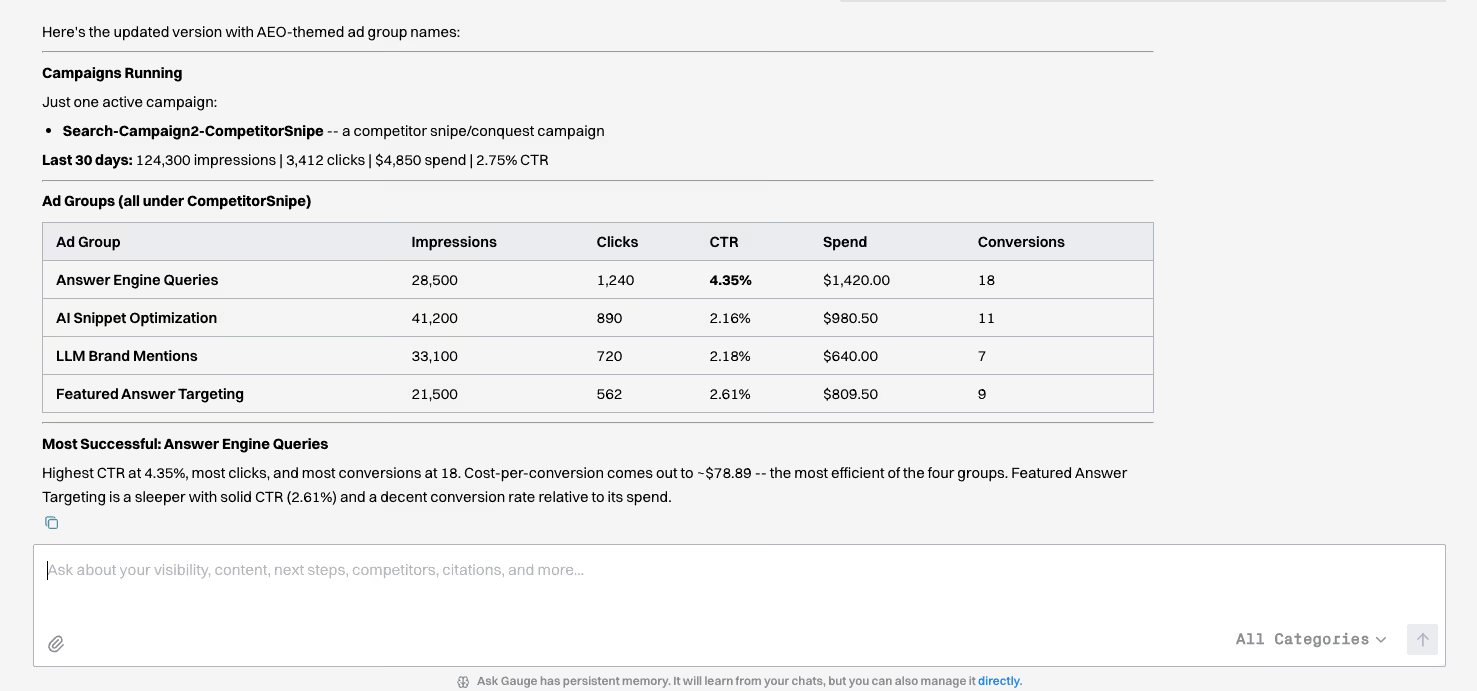
Your Google Ads data now sits alongside AI visibility, citations, and organic search inside the same workspace. That means you can see, in one view:
• Keywords where AI already mentions your brand organically and you're also paying to show up
• Topics where paid is your only presence (no AI visibility, no organic ranking), surfaced as content gap signals
• Branded vs non-branded paid efficiency next to your unprompted AI mention rate
• Competitor keyword bidding alongside your AI visibility trends on the same terms
• The search terms report as a feed into your Gauge prompt set, in real buyer language
Live now. Go to Settings → Integrations → Google to connect your account.
Related Blogs
 Expect Higher Visibility on Grok. Lower on Perplexity. A Study of Brand Mentions from 17M+ Answers