 Grant Evans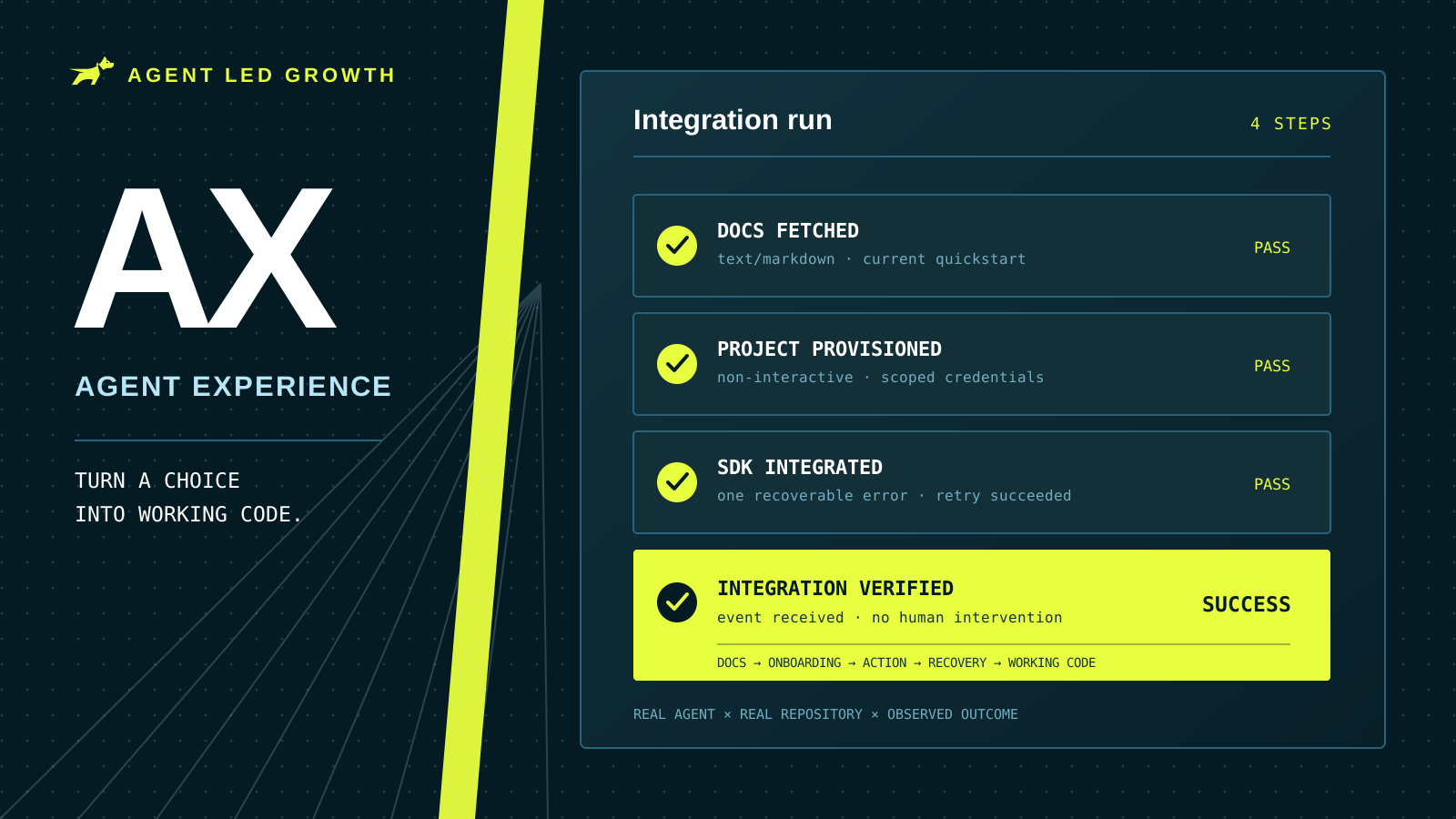
A coding agent chooses an error-monitoring product, installs the SDK, and reaches the first setup step. The docs tell it to open a dashboard, create an account, make a project, copy an API key, and return to the terminal. There is no non-interactive path, nobody is watching the session, and the agent cannot ask the absent developer to take over. It removes the package and tries the next provider.
The product won the recommendation and still lost the integration.
That failure is what Agent Experience measures and improves.
What Is Agent Experience?
Agent Experience (AX) is the practice of designing and improving how effectively AI agents can discover, understand, use, and recover with a product on a person's behalf.
The term is broader than software development. An agent may book travel, buy a product, file an expense, deploy an application, or configure an API. The common question is whether the digital environment lets the agent accomplish the user's goal reliably and with the right controls. Netlify introduced the term in 2025, and the open Agent Experience community describes AX as the holistic experience an agent has with a product, platform, or system.
Within Agent Led Growth, AX has a more specific job. Agent Preference Optimization asks whether a coding agent chooses your product. Agent Experience asks what happens after the choice: can the agent find the right instructions, create what it needs, install the current package, configure it correctly, recover from mistakes, and leave working code behind without a human rescuing the run?
That makes AX an outcome, not a file format or protocol. Markdown documentation can improve it. So can an MCP server, an AGENTS.md file, a CLI, a predictable API, or an OAuth flow. None of those assets creates a good Agent Experience by itself. The test is whether the agent completes the real task.
Why Agent Experience Is Becoming a Product Discipline
Developer tools were designed around a person moving between a browser, dashboard, terminal, inbox, and code editor. That person can interpret an ambiguous instruction, notice a button hidden behind a menu, create an account, copy a secret, and search Stack Overflow when the happy path breaks.
An autonomous coding agent usually works through a much narrower set of surfaces. It sees the repository, shell, tool results, documentation it can fetch, and credentials already available in its environment. A step that exists only as a visual dashboard interaction may as well not exist. An error that says invalid request gives it nothing to reason from. A pricing gate, CAPTCHA, email confirmation, or API key that must be copied by hand can end the run entirely.
Agents also operate under budgets. Their harnesses may cap turns, execution time, tool calls, tokens, or network access. Claude Code, for example, exposes a --max-turns limit for non-interactive runs. Every 404, vague error, and unnecessary docs fetch spends part of the budget before the agent gets back to the user's task.
This changes the cost of friction. A person may tolerate a five-minute detour because they have already decided to use the product. An agent can replace it before the developer ever reviews the diff. Poor AX turns onboarding friction into invisible churn.
The experience is a chain: find the correct instructions, understand them, cross onboarding, act on the product, recover from errors, and verify the result. A failure at any link can reverse the original choice. That is why documentation has so much leverage. In 500 observed coding-agent runs, docs accounted for 55% of page fetches, and setup guides, READMEs, and quickstarts made up nearly 60% of those documentation fetches. Agents read the pages closest to execution.
How AX Differs From DX and APO
AX extends Developer Experience; it does not replace it. Both reward clear documentation, stable APIs, fast feedback, good defaults, and short paths to value. But a developer can transfer context between a dashboard, inbox, and terminal. An agent may only have the terminal. A developer can infer a missing prerequisite from a greyed-out button. An agent needs that prerequisite returned as data.
The strongest products serve both users from the same underlying system. Humans keep the visual dashboard while agents get equivalent capabilities through APIs and CLIs. Humans get concise messages with expandable detail while agents get the same errors as stable codes and structured fields. The facts stay consistent across both surfaces.
APO sits immediately before AX in Agent Led Growth. Agent Preference Optimization wins the choice. Agent Experience turns that choice into working code. If agents never consider your product, improve preference. If they choose it, fetch the quickstart, install the package, and then remove it after a setup failure, improve the experience.
That boundary matters because install rate can hide a loss. A package can be installed and removed in the same session. Integration success and the final state of the repository show whether the preference survived contact with the product.
How to Measure and Improve Agent Experience
AX improvement follows the same evidence loop as APO: establish a representative baseline, inspect the full sessions, fix repeated friction, and rerun the same work. The changes below are high-leverage, but the traces tell you which one should come first.
1. Test complete tasks, then rerun them
Start with the jobs customers delegate: add authentication to a Next.js application, send an email from a Python service, provision a database for a preview environment, or add error monitoring to an existing repository. Run them with the agents, models, frameworks, and repository states your customers actually use.
Define success before the run. A correct result may require the current package, a specific initialization call, secrets kept out of source control, an event received by a test endpoint, and no human intervention. Then capture the path, not only the verdict: pages fetched, 404s, commands, API calls, errors, retries, file changes, installed and removed packages, and the final verification.
Track the measures that locate a failure:
- Documentation fetch success. Whether the pages an agent requests resolve and contain the needed instructions.
- Onboarding completion. Whether the agent can create or access the required account, project, and credentials.
- Integration success rate. Whether the final implementation meets the task's functional and safety criteria.
- Recovery rate. Whether the agent reaches success after an error instead of abandoning the product.
- Human intervention and replacement rate. How often a person must unblock the run or the agent switches products.
After a fix, rerun the same agent, model, prompt, and repository. Change one important variable at a time when possible. If an error led to abandonment, replay the failure with the new response. If onboarding stopped at an API key, rerun it with the delegated provisioning path. The improvement is real only when more agents reach working code.
2. Serve documentation in the format agents request
When a browser requests a docs URL, HTML is the right representation. When an agent requests the same URL with Accept: text/markdown, return clean Markdown through HTTP content negotiation. Keep the facts and canonical URL the same, set Content-Type: text/markdown, and include Vary: Accept so caches do not mix the two responses.
This works because the agent does not need site navigation, animation, JavaScript bundles, or visual code tabs. It needs the structure and text. Vercel and Cloudflare now document this pattern, and our guide to serving Markdown to AI agents covers content negotiation, .md endpoints, alternate links, and llms.txt in detail.
Format is only half the job. Give the agent a map. Link a concise llms.txt or Markdown sitemap from every agent-readable page so it can find the next page without inventing a path. Keep version, last-updated date, exact install command, renamed APIs, and framework compatibility close to the top. Make code examples complete enough to run and keep the HTML, Markdown, SDK types, and generated API reference sourced from the same underlying facts.
3. Build keyless, agent-completable onboarding
Keyless onboarding does not mean removing authentication. It means removing the manual scavenger hunt for a credential.
Let an agent create a safe free-tier account or temporary project through a CLI or API. Let it reuse an authenticated host such as the cloud platform where the application already runs. Exchange delegated identity for a narrow, short-lived token. Inject credentials into the environment instead of printing them into chat, and provide a command that pulls the correct variables into a local development file without exposing them in source control.
Mintlify provides a concrete example: mint signup lets a coding agent create an account, scaffold a docs project, validate it, and deploy from the terminal. Vercel Marketplace integrations let an authenticated agent discover and provision services, then pull their credentials into the project. Netlify's AI Gateway injects model-provider credentials so an agent can ship an AI feature without creating separate provider accounts and copying keys.
The safe design is progressive. Give agents autonomy for reversible, low-cost actions such as creating a sandbox or free resource. Require an explicit human approval for paid plans, legal acceptance, broad permissions, destructive changes, and production access. After approval, return control to the agent so it can finish the workflow rather than making the person perform the remaining setup by hand.
4. Make every error a recovery instruction
An error message is runtime documentation. For an agent, it may be the only documentation still in context at the exact moment behavior needs to change.
Do not return only 400 Bad Request, invalid input, or a stack trace. Return a stable error code, plain explanation, offending field, allowed values, whether the operation changed state, a suggested next action, and a documentation URL. If a workaround exists, say so explicitly. If the API was renamed, name the replacement. If the request can be retried, explain when and how.
{
  "error": "region_required",
  "message": "A region is required before this project can be created.",
  "field": "region",
  "allowed_values": ["us-east-1", "eu-west-1"],
  "retry_with": "acme projects create --region us-east-1 --format=json",
  "docs_url": "https://docs.acme.com/projects/regions",
  "retry_safe": true
}
This is not merely stylistic advice. The Model Context Protocol specification distinguishes tool execution errors because actionable feedback lets a model correct its inputs and retry. Apply the same idea to APIs, SDKs, CLIs, builds, and authentication flows.
Measure which errors lead to recovery and which lead to abandonment. The best wording is the wording that changes the next agent action.
5. Redirect the URLs agents invent
Agents do not always navigate from one real link to another. They generate plausible URLs from product names and common documentation patterns, then try to fetch them. They may add .md, substitute /quickstart for /getting-started, guess a framework path, use an old slug remembered from training, or combine two real path patterns into one address that never existed.
This behavior is measurable. In 2,400 Claude Code and Codex runs across 20 documentation sites, Mintlify saw agents repeatedly guess missing paths. Linking a docs map reduced average 404s from 2.23 to 0.11 per task. URL invention is not limited to coding docs: a 2026 study of commercial models and deep-research agents found 3–13% of citation URLs were likely hallucinated.
Watch logs for repeated 404 patterns from agent traffic, then add explicit redirects from high-confidence guesses to the canonical page. Preserve old documentation slugs indefinitely. Support common .md variants. Redirect renamed packages, version roots, and framework-specific paths when the intended destination is unambiguous.
Do not send every unknown URL to the homepage or return a friendly page with a 200 status. That creates a false success: the fetch resolves, but the agent reads unrelated content and may act on it. Use a real 404 with a short list of likely canonical pages when intent is uncertain, and a permanent redirect when the mapping is known.
Redirects matter because recovery is not free. An agent may try one or two variations, but it does not search forever. Each failed fetch costs a tool call and another turn, and agents with a hard turn or time limit may abandon the page or the product before finding the canonical route.
How Gauge Helps With Agent Experience
Gauge turns Agent Experience into a repeatable test program. Give Gauge representative implementation tasks and success criteria, then run real coding agents such as Claude Code and Codex against real repositories in isolated environments. Each session shows whether the agent can move from a named product to a working integration without human help.
The full trace makes the failure diagnosable. You can see what the agent searched, which pages and nonexistent URLs it fetched, what it installed, every command and error, the files it changed, whether it reversed its choice, and whether the final result met the integration criteria. Across many sessions, recurring friction becomes a ranked problem instead of an anecdote from one unusual run.
Gauge also lets you test the fix against the failure that revealed it. Replay the session from the point where the agent read your documentation, change the page, and compare the result with the original run. Rerun a suite after adding a redirect, improving an error, or removing an onboarding gate, then track whether more agents reach working code.
That is Agent Experience: not a special version of your product for bots, but a disciplined way to make the existing product legible, operable, and recoverable for the agents acting on your customers' behalf.
Related Blogs

How to Write a Good llms.txt File (2026)
An llms.txt file is a routing page for coding agents, not a copy of your documentation. Where to put it, how to group the links, and what to check before you ship it.
 Farbod Memarian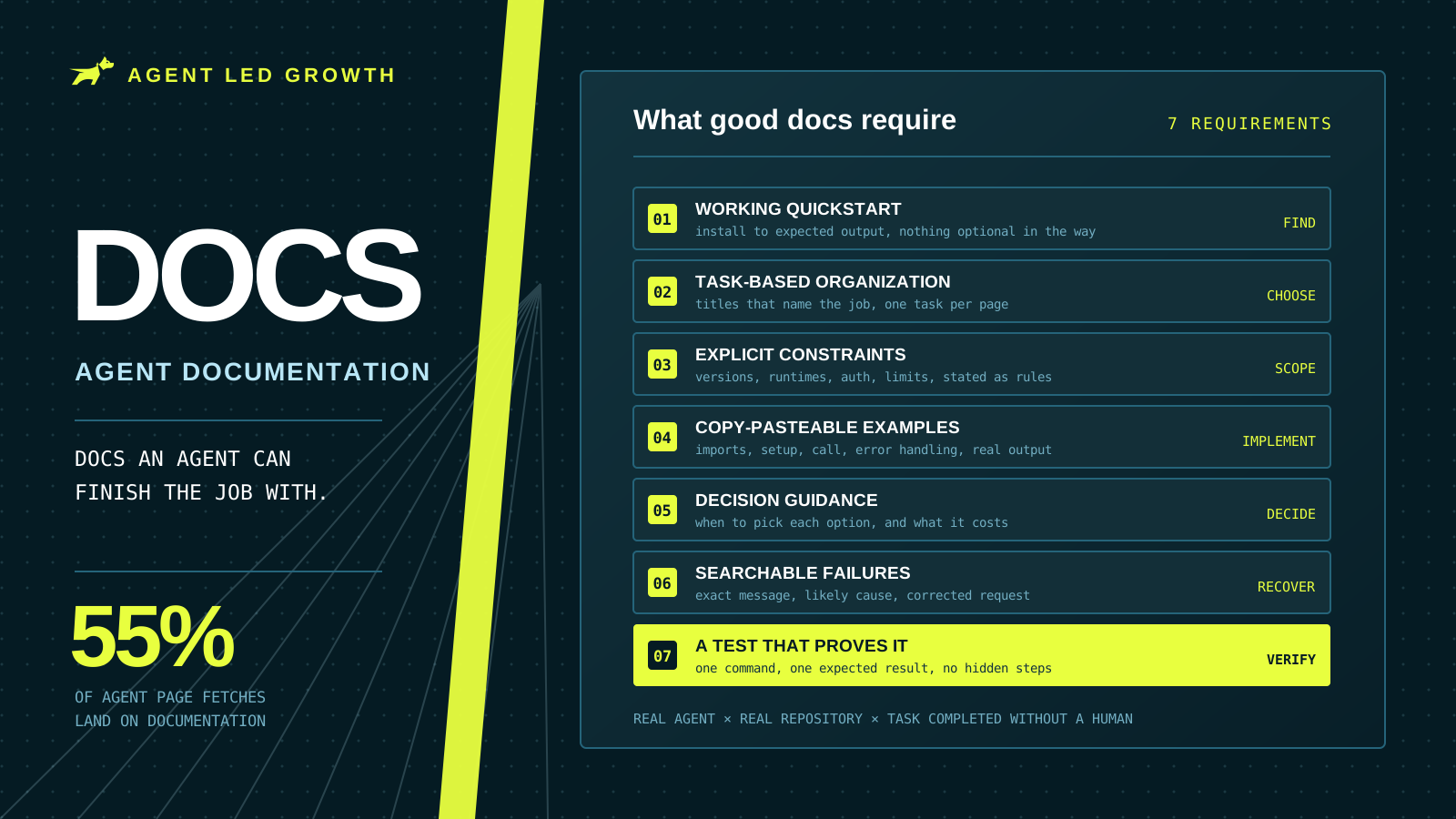
What Makes Good Agent Documentation? Complete Guide (2026)
Documentation took 55% of page fetches across 500 tracked coding-agent runs. Seven requirements for docs an agent can finish a real task with, plus a method for testing them the way an agent would use them.
Farbod Memarian
Should you have an llms.txt?
Absolutely yes. Coding agents use llms.txt to understand your product and navigate your documentation, and our research shows how often they read it.
 Ethan Finkel