
TL;DR
- An llms.txt file gives coding agents a short map of your documentation.
- Place it at
yourdomain.com/llms.txt. - Agents mainly use it during build tasks. No evidence shows that it improves AI search visibility.
- Agents usually continue into full documentation, so link to current setup guides, authentication docs, API references, examples, and troubleshooting pages.
What Is an llms.txt
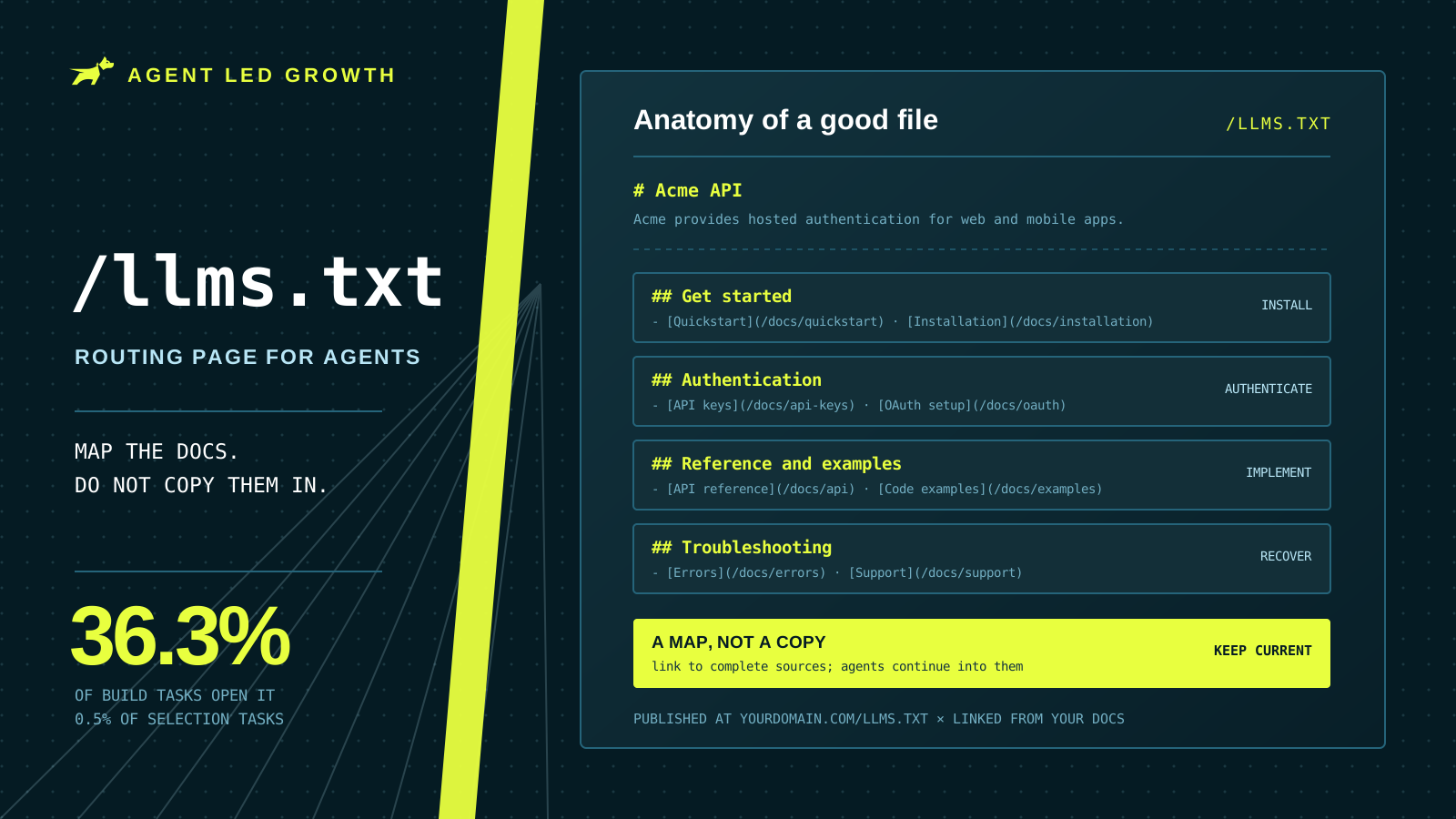
An llms.txt file is a short Markdown index that helps coding agents navigate your documentation. It points agents toward authoritative setup guides, API references, examples, and troubleshooting pages. It should not copy your full documentation into one file.
Agents mainly use the file during implementation. Gauge found that coding agents opened it in 36.3% of build tasks and 0.5% of vendor-selection tasks. Build tasks require exact instructions, while selection tasks often rely on search results or existing model knowledge.
No evidence shows that llms.txt improves AI search citations or visibility. Its narrower job supports Agent Experience by helping an agent that already chose your product find the right implementation details.
Where It Belongs
Publish the file at yourdomain.com/llms.txt, where coding agents expect to find it. Link to it from your documentation pages and Markdown files. Keep it alongside your authoritative documentation, and use it to direct agents into those sources.
Do not rely only on named-agent logs to confirm discovery. Codex often fetches llms.txt with generic curl requests, so its visits may look like ordinary traffic.
How to Write a Good llms.txt File
Treat /llms.txt as a routing page for coding agents. Open with a short description of your product and what developers use it for. Then group links by task so an agent can quickly find setup, authentication, API reference, examples, and troubleshooting.
Link to complete, authoritative documentation instead of copying implementation details into the file. Agents usually continue into the linked docs to confirm parameters, behavior, and errors.
# Acme API

Acme provides hosted authentication for web and mobile apps.

## Get started

- [Quickstart](/docs/quickstart)
- [Installation](/docs/installation)

## Authentication

- [API keys](/docs/api-keys)
- [OAuth setup](/docs/oauth)

## Reference and examples

- [API reference](/docs/api)
- [Code examples](/docs/examples)

## Troubleshooting

- [Errors](/docs/errors)
- [Support](/docs/support)
Use direct links rather than broad documentation landing pages. Each linked page should answer the task named in its label. Remove duplicate links, outdated routes, and marketing pages that do not help an agent implement the product.
Review the file whenever you rename documentation, change onboarding, or release a major capability. Missing or stale links can make an available feature look unsupported. A clear map improves Agent Experience by helping coding agents find the next instruction without guessing, which supports the implementation side of Agent Led Growth.
llms.txt Checklist
A useful llms.txt file gives agents a current, reliable map of your documentation.
- The file lives at
yourdomain.com/llms.txt. - Links are grouped into clear categories such as setup, authentication, API reference, examples, and troubleshooting.
- Every link points to an authoritative and complete source.
- The file stays current as documentation and product capabilities change.
- Major features are included, since omissions can look like missing capabilities.
- The file contains navigation and context, not hidden instructions for agents.
A file that passes these checks signals that your product is ready for agent-led implementation.
How Gauge Helps
Gauge verifies whether coding agents find your llms.txt file and follow its links into authoritative docs. It runs real agent sessions in isolated repositories and captures each search, page fetch, file change, and implementation outcome.
Gauge uses open models for broad testing and frontier models for confirmation. These traces turn llms.txt from an assumption into a measurable part of Agent Experience and Agent Led Growth.
FAQs
Does llms.txt improve AI search visibility?
No proven evidence shows that llms.txt improves AI search visibility. Its main use is helping coding agents navigate documentation during implementation.
Do agents actually read it?
Yes. Gauge observed coding agents opening llms.txt during build tasks, then continuing into linked documentation.
Does Codex traffic look like normal traffic?
Often, yes. Codex commonly fetches llms.txt with curl, so requests may not identify themselves as agent traffic.
Does llms.txt replace full documentation?
No. The file should direct agents to authoritative setup guides, API references, examples, and troubleshooting pages.
Related Blogs
What Makes Good Agent Documentation? Complete Guide (2026)
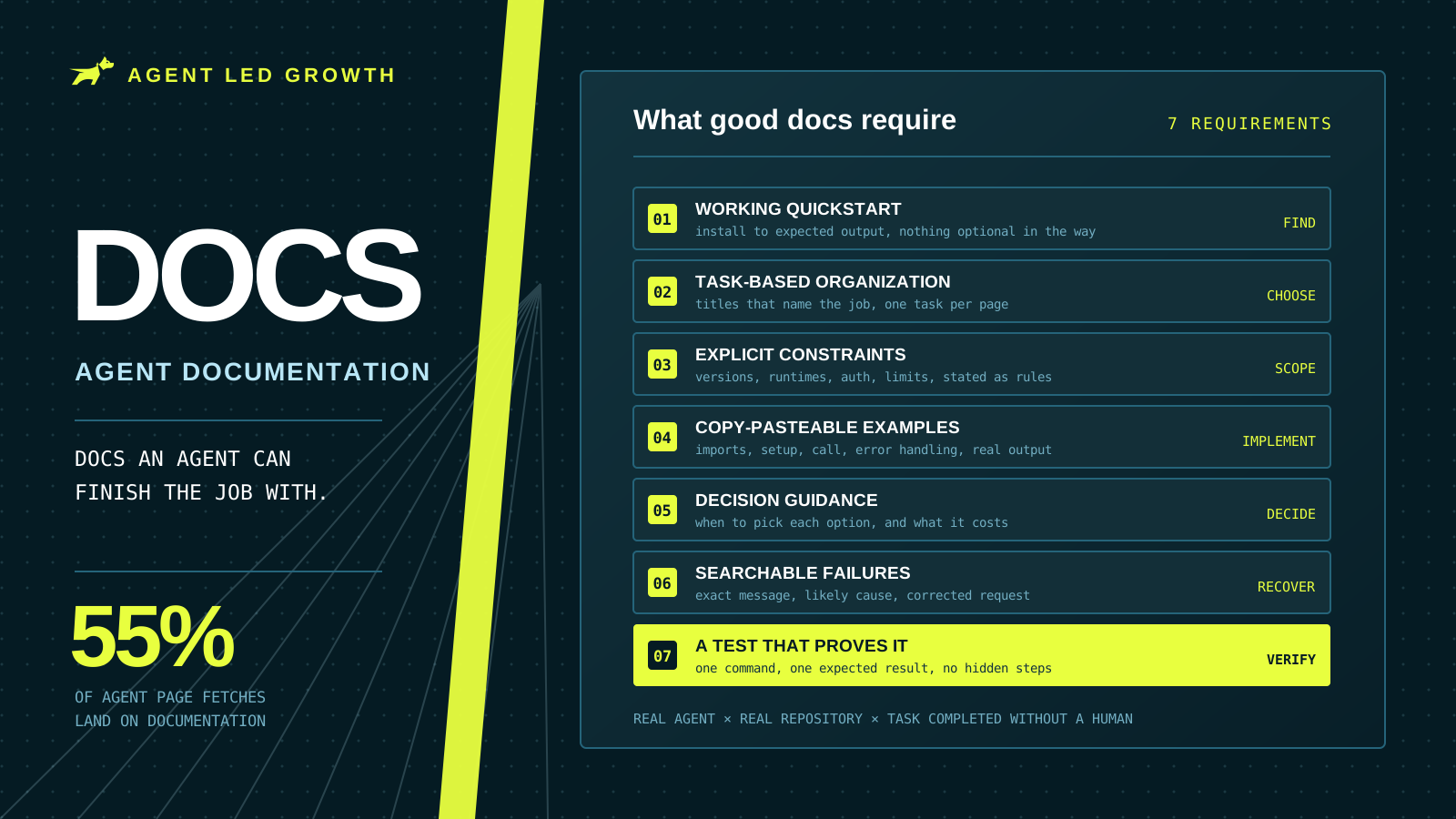
Documentation took 55% of page fetches across 500 tracked coding-agent runs. Seven requirements for docs an agent can finish a real task with, plus a method for testing them the way an agent would use them.
 Farbod Memarian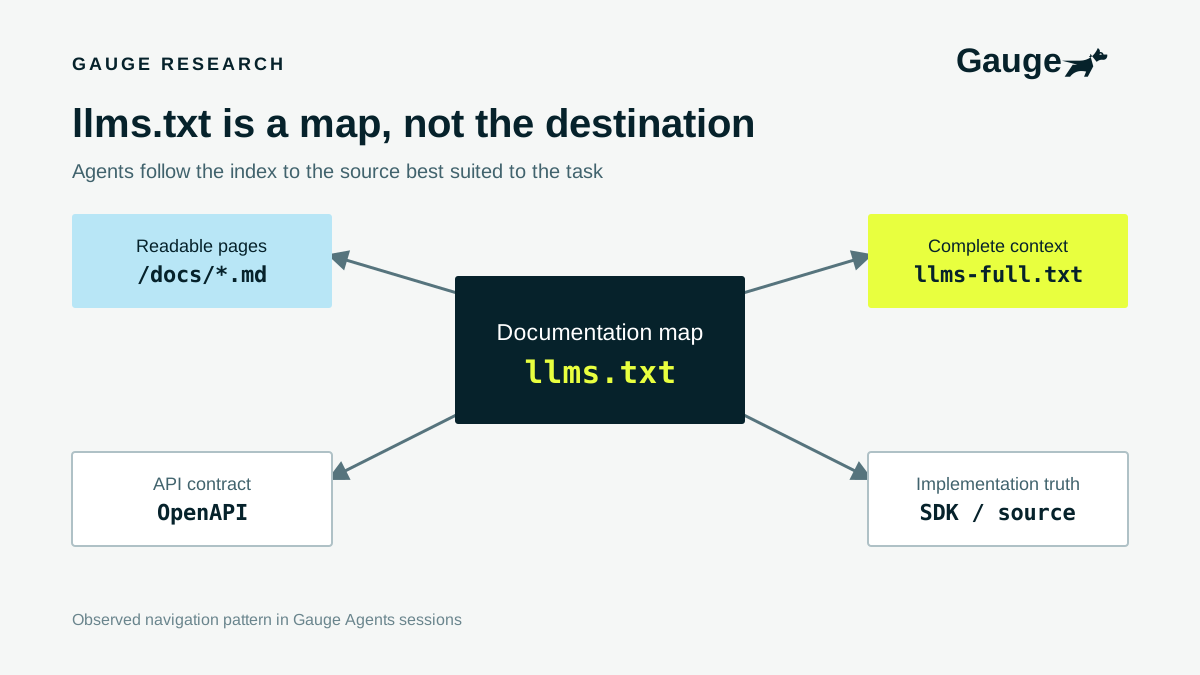
Should you have an llms.txt?
Absolutely yes. Coding agents use llms.txt to understand your product and navigate your documentation, and our research shows how often they read it.
 Ethan Finkel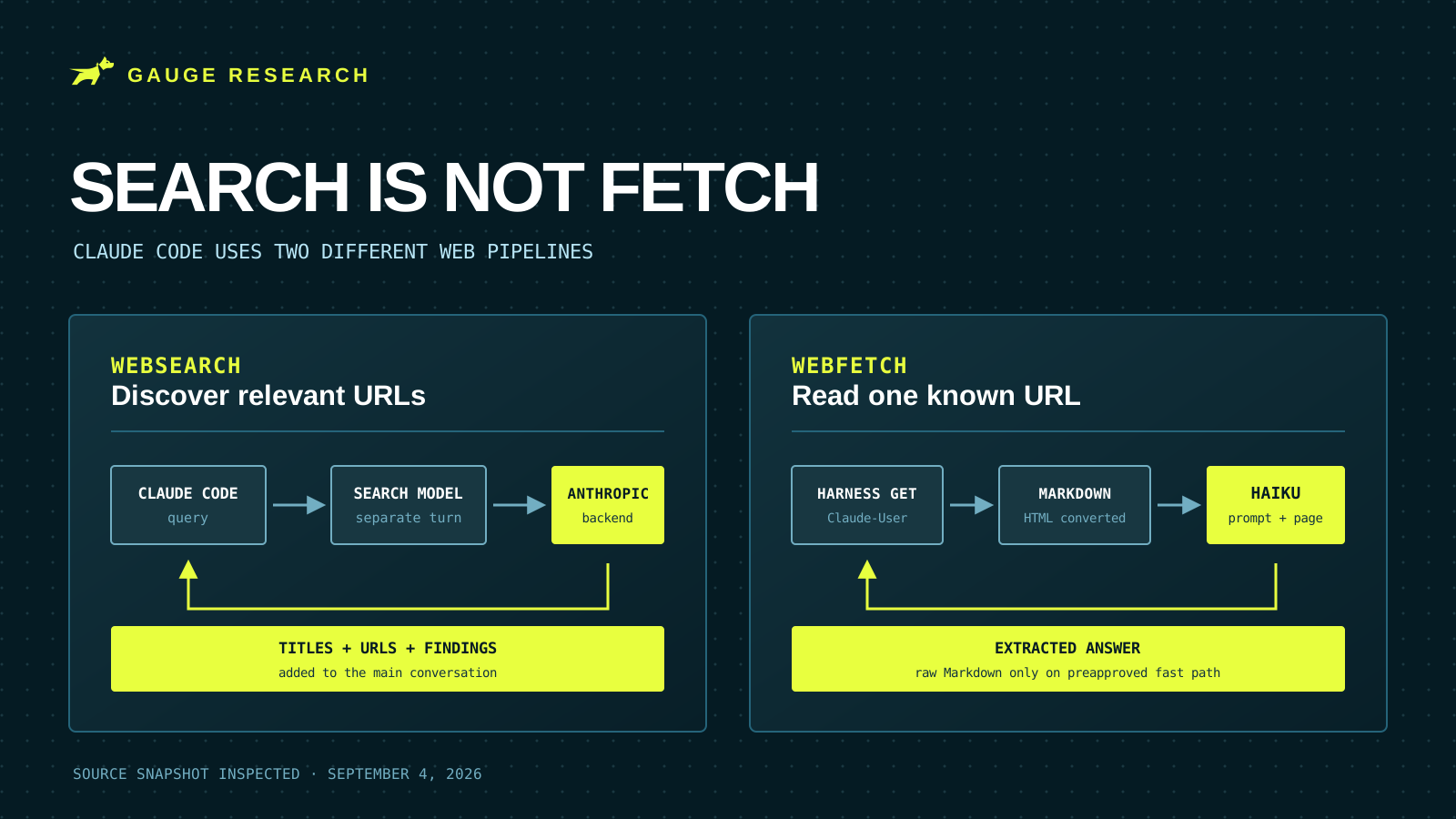
How Claude Code Searches the Web
Claude Code uses two separate web pipelines: a server-side search that returns links and findings, and a local fetch that sends a page through Markdown conversion and usually a Haiku extraction pass.
 Evan Doyle