Today we're introducing Skills and Schedules in Ask Gauge. Skills are saved playbooks for work your team repeats. Schedules run that work automatically and send the results to Slack or email.
Ask Gauge is the agent built into Gauge Chat. It has more than 50 tools for AEO work: keyword research, prompt, sentiment, and citation analysis, content ideas, briefs, drafting, and review. With Skills and Schedules, it does that work on a recurring basis without a prompt from you.
Skills
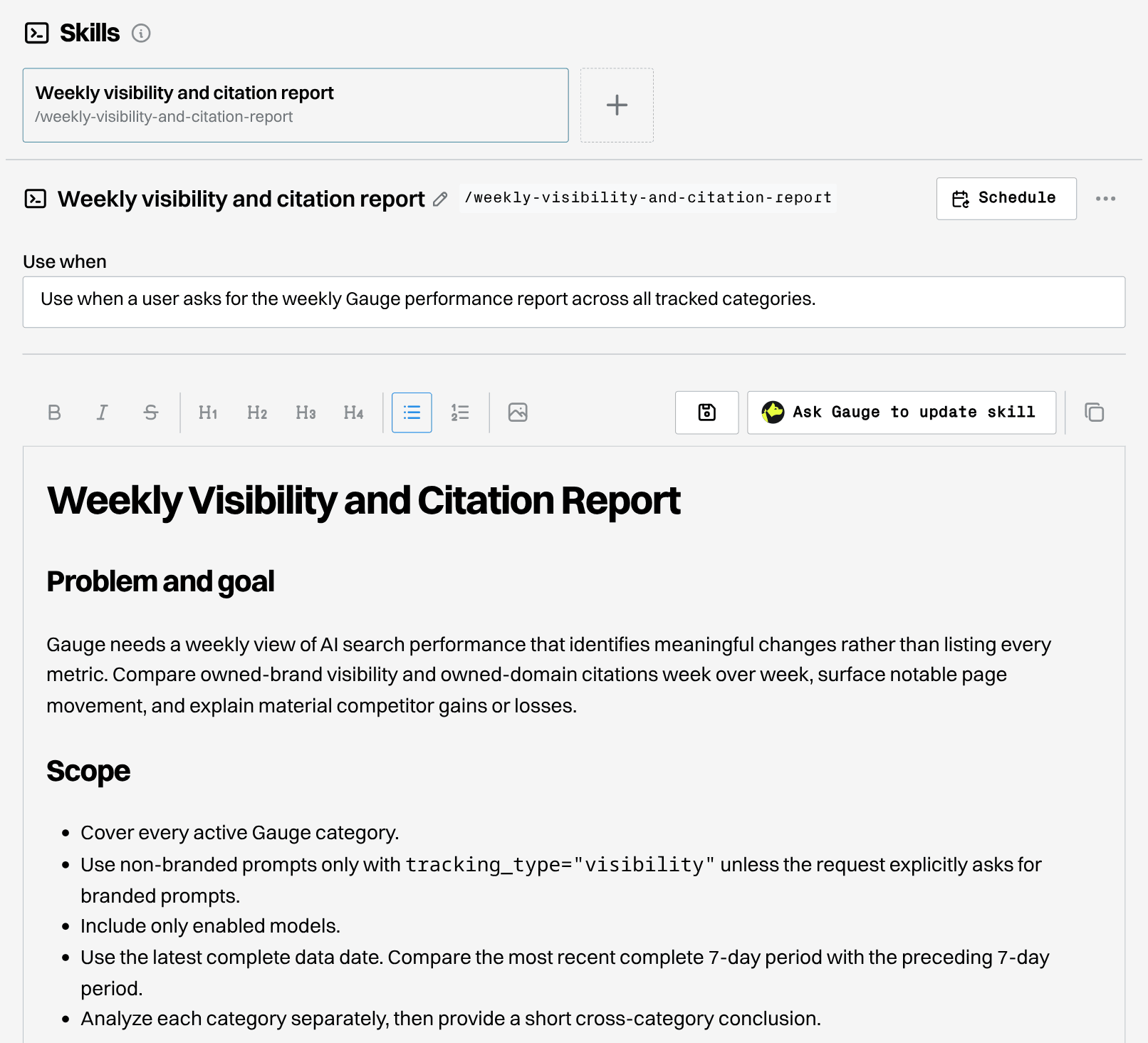
A skill is a set of instructions for one job, such as a weekly competitor report or a checklist for refreshing old pages.
There are two ways to create a skill:
- Describe the task. Tell Ask Gauge what you want, for example: "Help me create a skill for our Monday report. It should cover last week's visibility changes, what caused them, and three next steps." Ask Gauge asks about anything missing, then saves the skill.
- Save a chat. When Ask Gauge finishes a task the way you want, ask it to save that process as a skill.
Run a skill in chat with /skill-name. Skills belong to your organization, so everyone on your team can use and edit them. Ask Gauge pulls current data each time it runs a skill.
Schedules
A schedule runs a prompt, with or without a skill, daily, on weekdays, weekly, or monthly. The skill holds how to do the work. The schedule holds when it runs and where the result goes.
Help me create a skill for our weekly competitor review, then schedule it for Fridays at 4pm and post the result in #marketing.
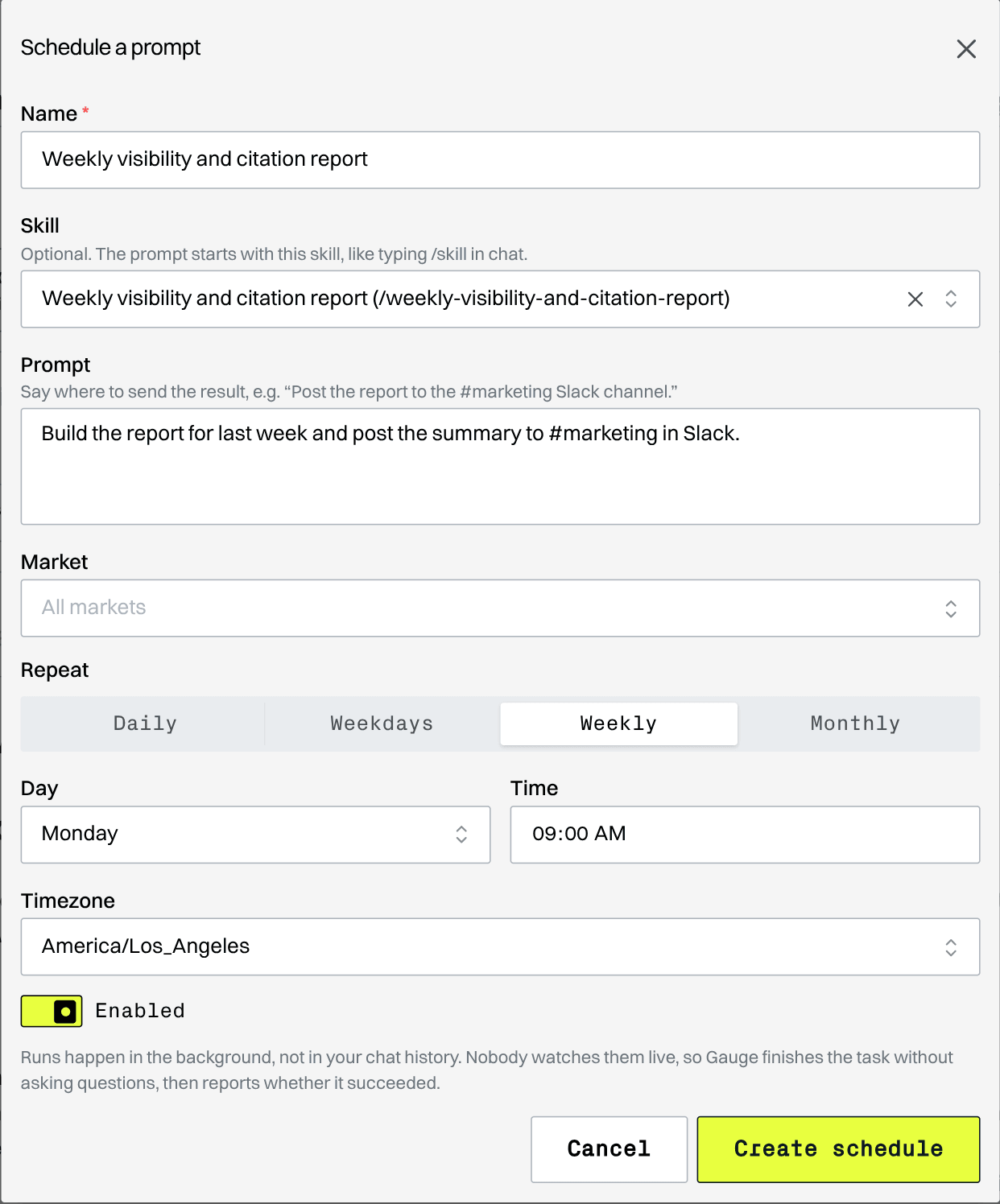
Each run can send up to 5 Slack messages and 5 emails to members of your organization.
Chain schedules into a workflow
Schedules share work through the action items and drafts saved in Gauge. Set up a few schedules and Gauge works through the week for you:
- Monday, 8am: plan. Review competitor activity and your Gauge data, then add five actions to the Action Center.
- Daily: do the work. Pick up an open action and draft the content.
- Daily, 5pm: report. Post a Slack summary of new opportunities, finished drafts, and anything that needs your review.
Get started
Skills and Schedules are available today in Gauge Chat. Open Ask Gauge and ask it to create your first skill. See Skills and Scheduled prompts for details.
This post is part of Gauge Launch Week.
Related Blogs

Optimize for Chat and Agents in One Platform
Gauge brings AEO and coding agent optimization together. Use Gauge Chat and Gauge Agents through one CLI and MCP.
 Ethan Finkel

Gauge Launch Week
Five launches in five days, from November 2 to November 6. This post links to every launch as it goes live.
Ethan Finkel
Introducing Gauge Optimizations
A/B test changes to your docs, CLI, and Skills against real coding agent sessions. Test fixes where agents struggle, compare the results, and ship the improvements that work.
Ethan Finkel